
GPT Image 2 Product Photo Prompts for Packshots and Campaigns
Write better GPT Image 2 product photo prompts for clean packshots, lifestyle scenes, campaign layouts, materials, labels, and consistent variants.
 Read guide
 Focused AI image generation tutorials for GPT Image 2, Nano Banana, reference editing, product photography, text preservation, negative space, and consistent characters.
Write better GPT Image 2 product photo prompts for clean packshots, lifestyle scenes, campaign layouts, materials, labels, and consistent variants.
Read guide Use Nano Banana character consistency prompts to preserve facial identity, hair, wardrobe, and signature details while changing one scene variable at a time.
 Read guide
 Create text-to-image prompts with intentional negative space for ad copy, product pages, social posts, thumbnails, and editorial layouts.
 Read guide
 Improve text and label consistency in AI images with cleaner references, protected edit regions, shorter copy, and a practical review checklist.
 Read guide
 Adapt 10 AI product photo background prompts for ecommerce, cosmetics, food, technology, wellness, seasonal campaigns, and social ads.
 Read guide
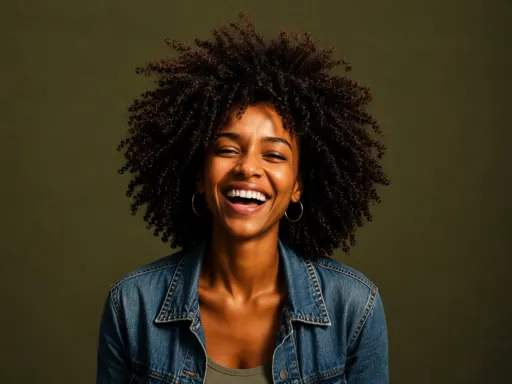
 Expand an AI character from a portrait into full-body scenes while preserving face, hair, body proportions, wardrobe, and signature details.
 Read guide
 Build a compact identity reference, control one variable at a time, and review continuity before expanding an AI character into multiple scenes.
Read guide Strong AI image work separates the visual brief from the edit boundary. For a new image, define the subject, composition, camera, light, material behavior, and intended layout. For a reference edit, state what must remain unchanged before describing the single element you want to replace, remove, restyle, or reposition.
The guides in this hub cover two common production needs. Product and advertising workflows need stable geometry, controlled reflections, readable packaging, and deliberate negative space. Character workflows need a clear identity anchor, a compact list of fixed traits, and small scene changes that can be reviewed before moving to wider poses or animation.
Treat every approved image as production evidence. Keep the prompt, reference, output, and review notes together. Reuse the parts that worked and modify one axis at a time. This makes GPT Image 2 and Nano Banana workflows easier to diagnose and helps a visual system stay coherent across campaigns, scenes, and formats.
Use one when identity, packaging, layout, style, or composition must survive the edit. Choose a clean reference where the details you care about are easy to inspect.
Keep copy short, specify its exact location, protect the existing label when a reference is available, and review spelling and line breaks at full resolution. Add final production typography separately when accuracy is critical.
Start from a readable identity anchor, record a short list of distinguishing traits, change one scene variable at a time, and build a continuity sheet from approved images.